

Follow the evidence.
See the connections.
Investigations bring together people, records, locations, and events. TRACE gives your team a workspace to organize that information, explore relationships, and document findings with the supporting evidence close at hand.
Developed by SharePlicity, TRACE runs in your own environment, with access controlled at the case level.
Screenshots show fictional investigation data. Select an image for a closer look.
/ overview
One workspace. Every part of the investigation.
An investigation can quickly spread across spreadsheets, shared folders, email, and handwritten notes. Keeping track of what happened, where information came from, and who can access it becomes a task of its own.
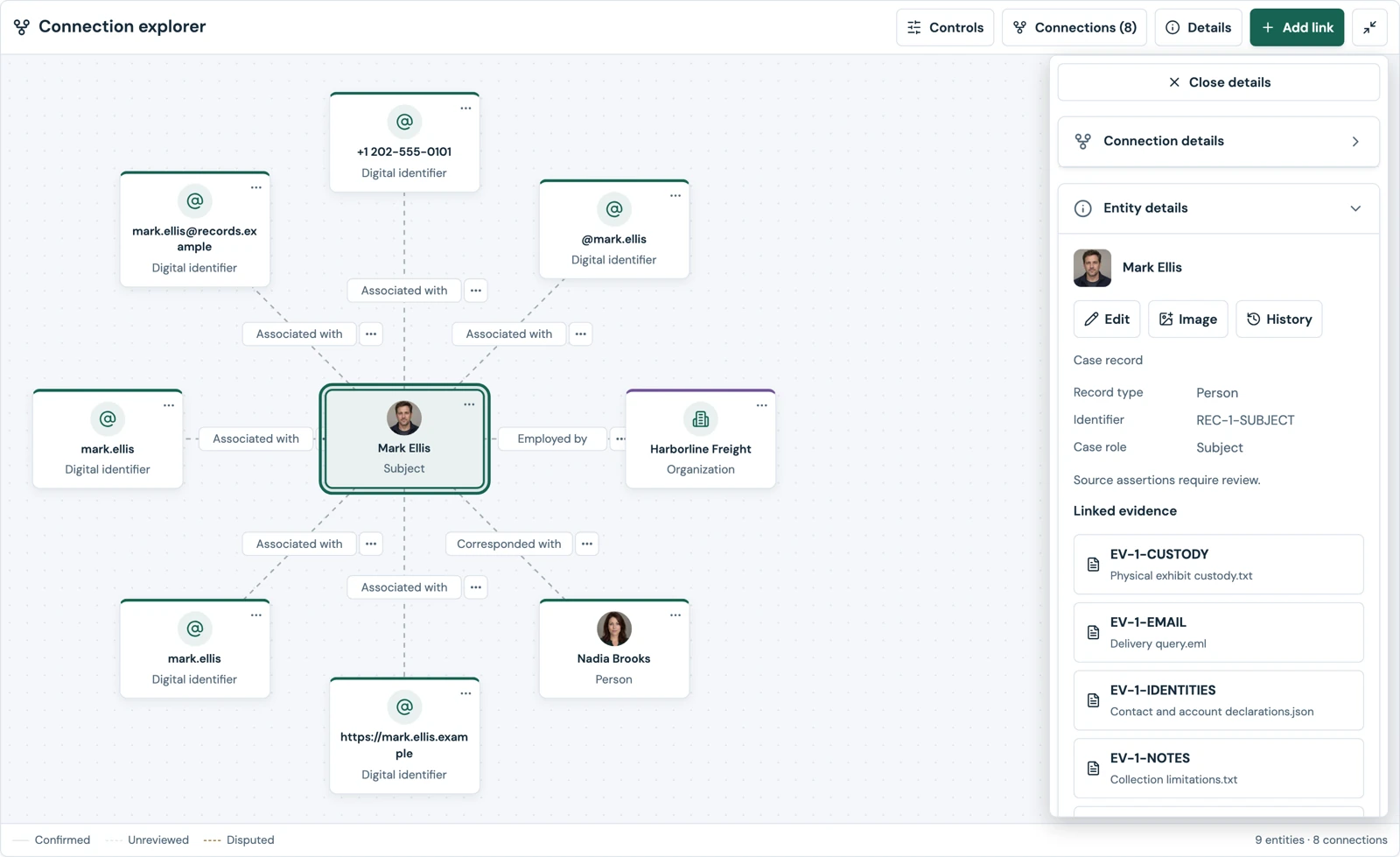
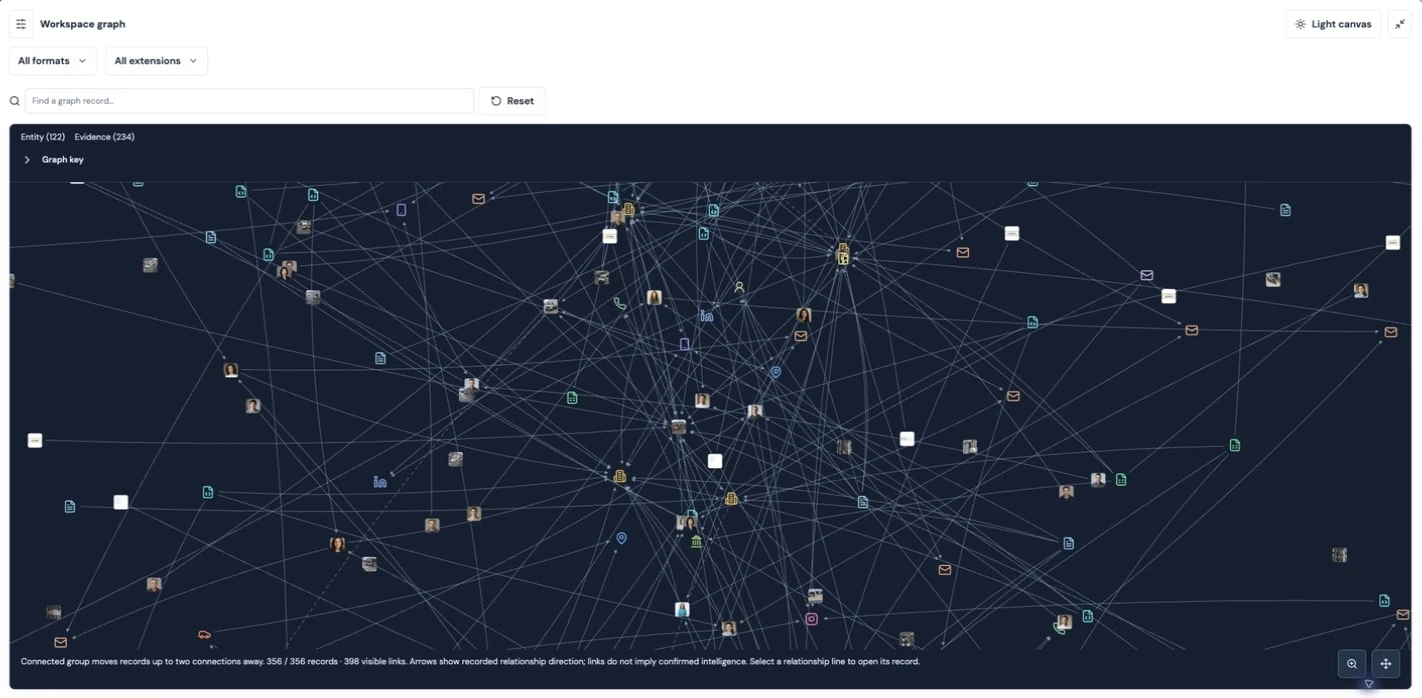
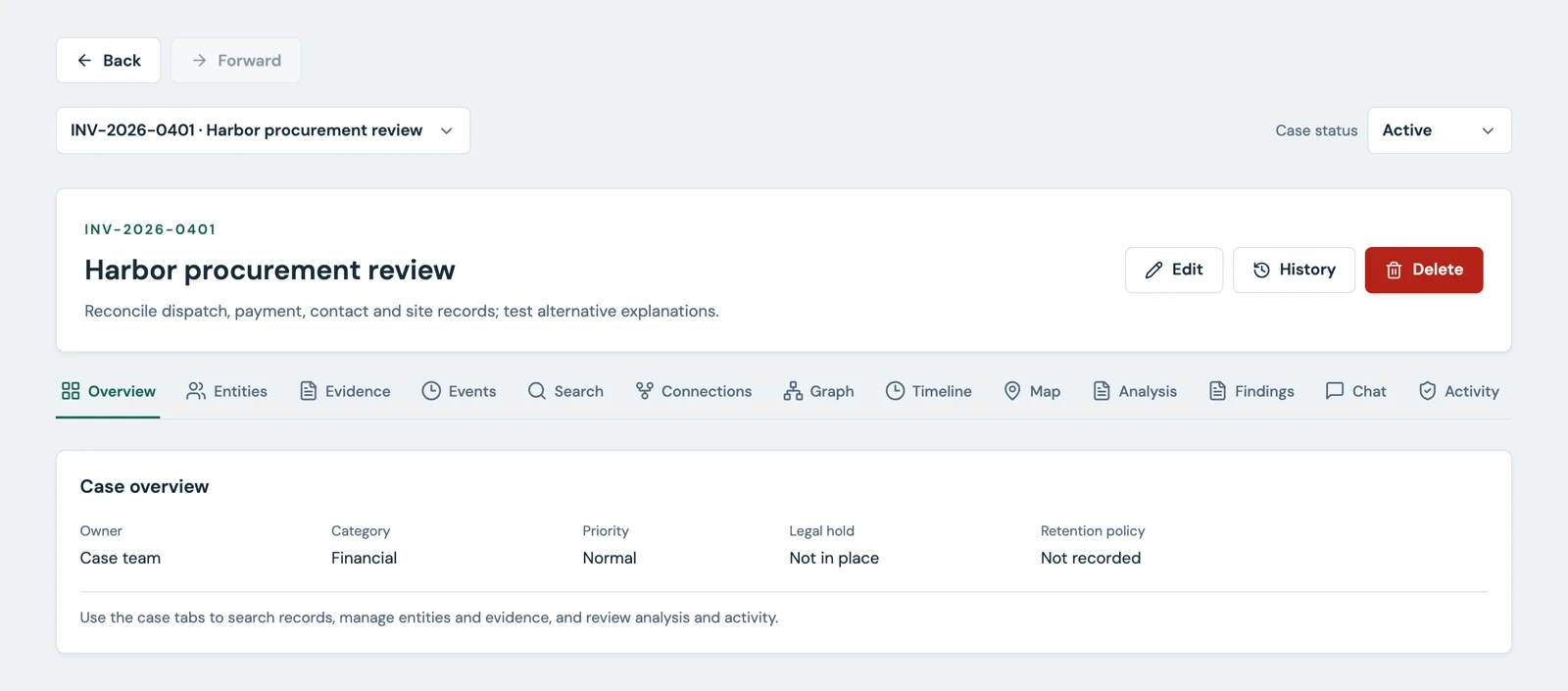
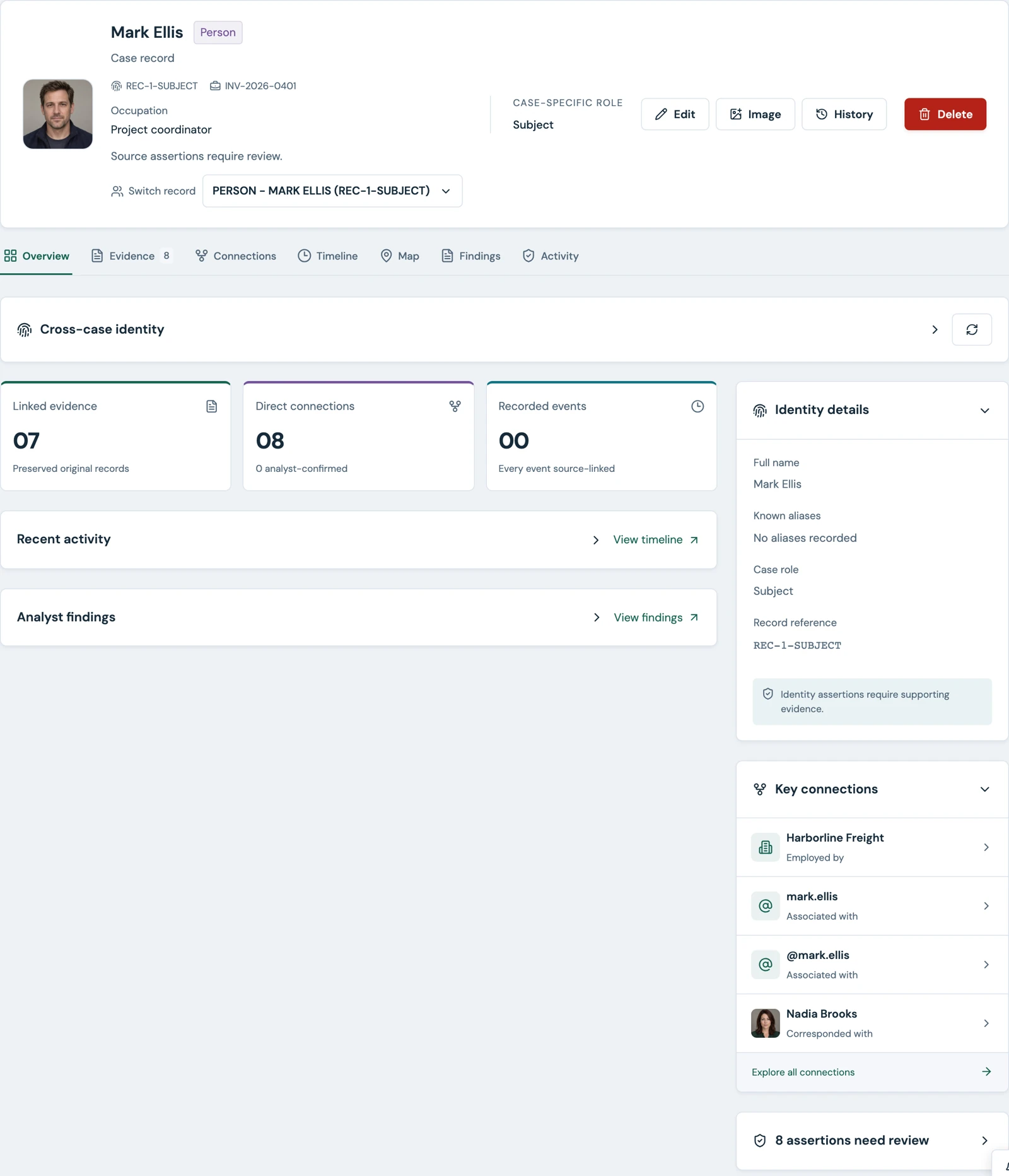
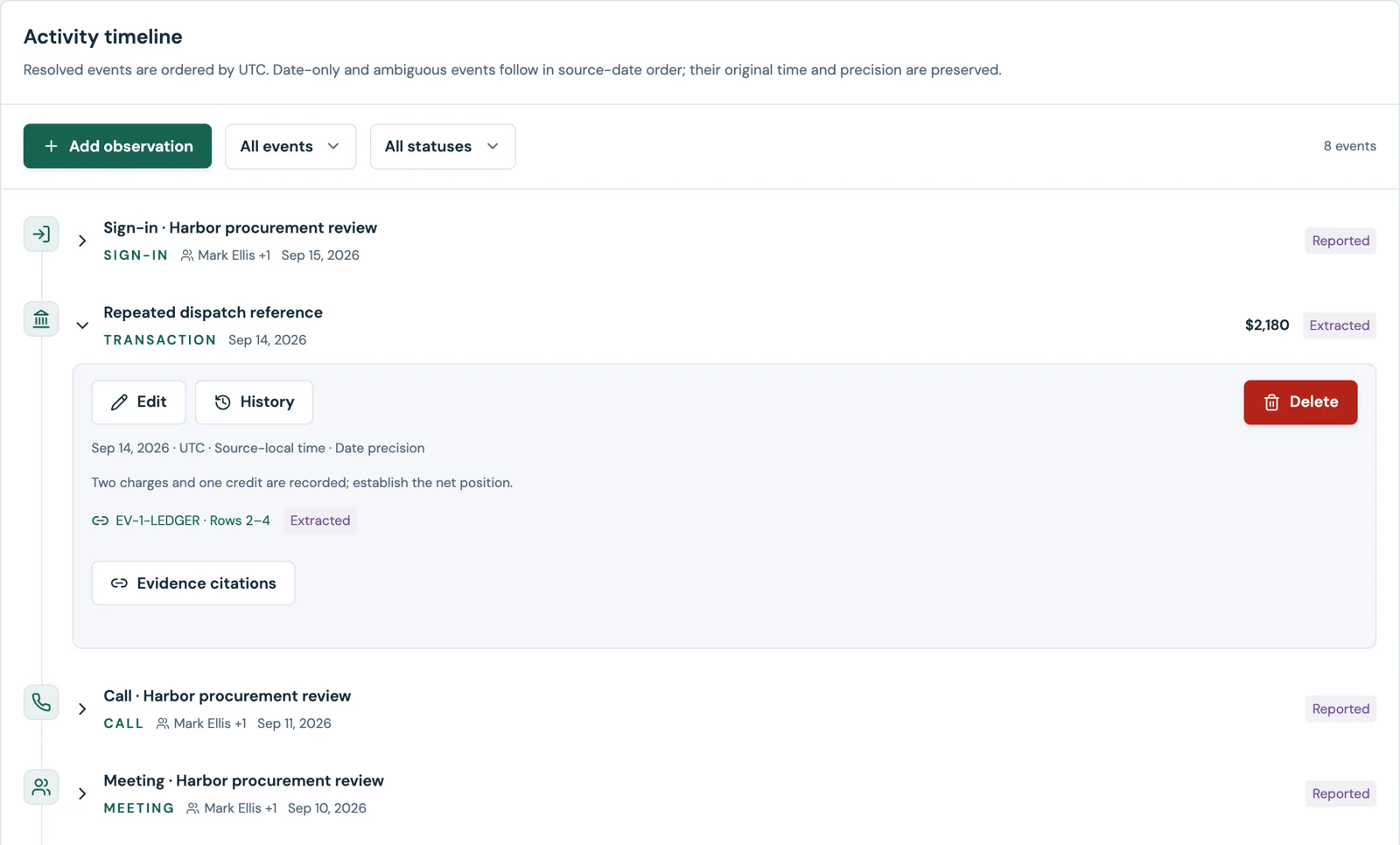
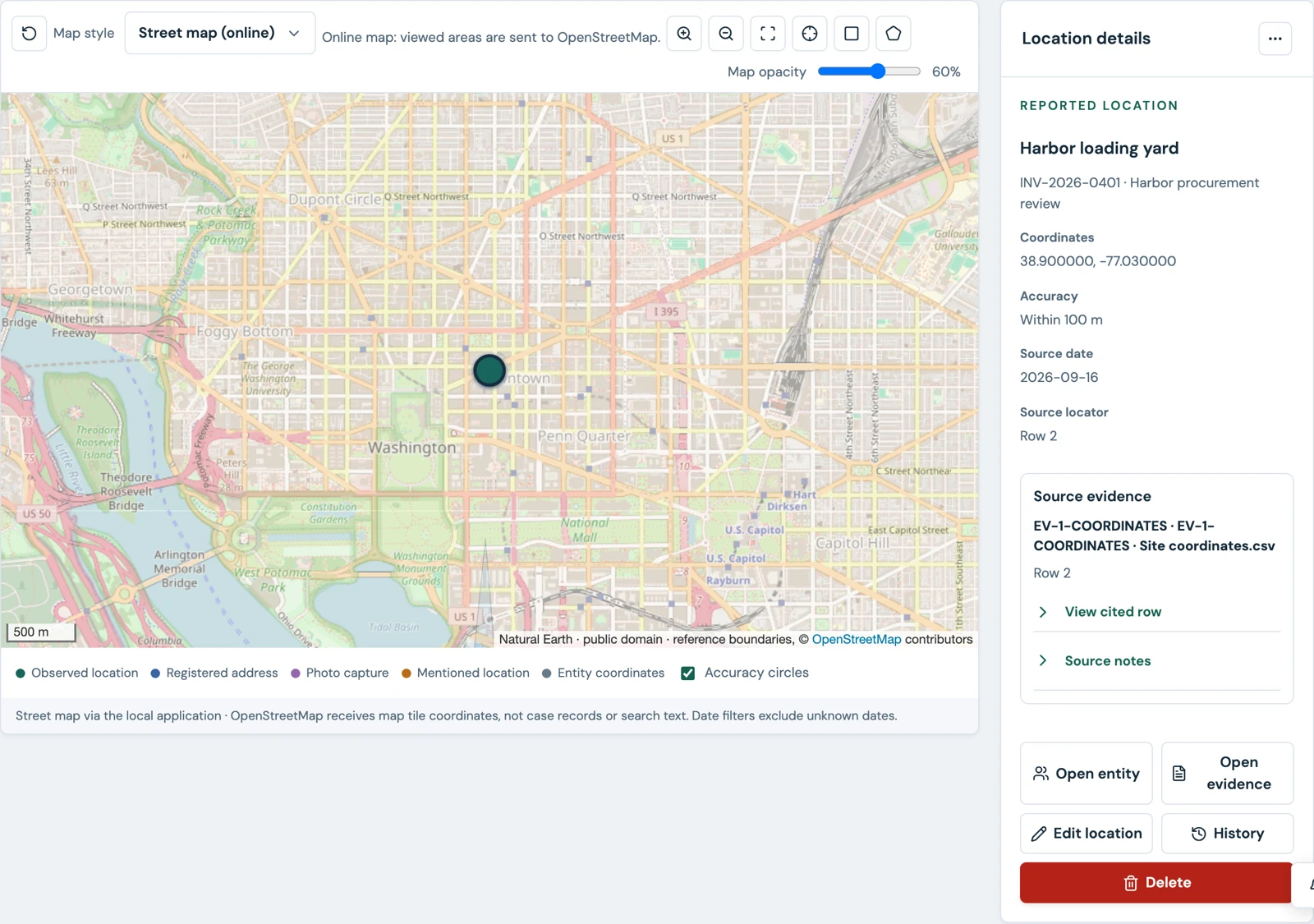
TRACE brings case records and evidence together. Move from a person to their associated documents, explore a connection, review the sequence of events, or examine locations on a map—all within the context of your case.
 View still image ↗
/ capabilities
Built around the work.
-
01 /
Manage the case.
Organize investigations with case details, assigned access, tasks, leads, and team discussions. Keep records and activity connected to the investigation they belong to.
-
02 /
Organize the evidence.
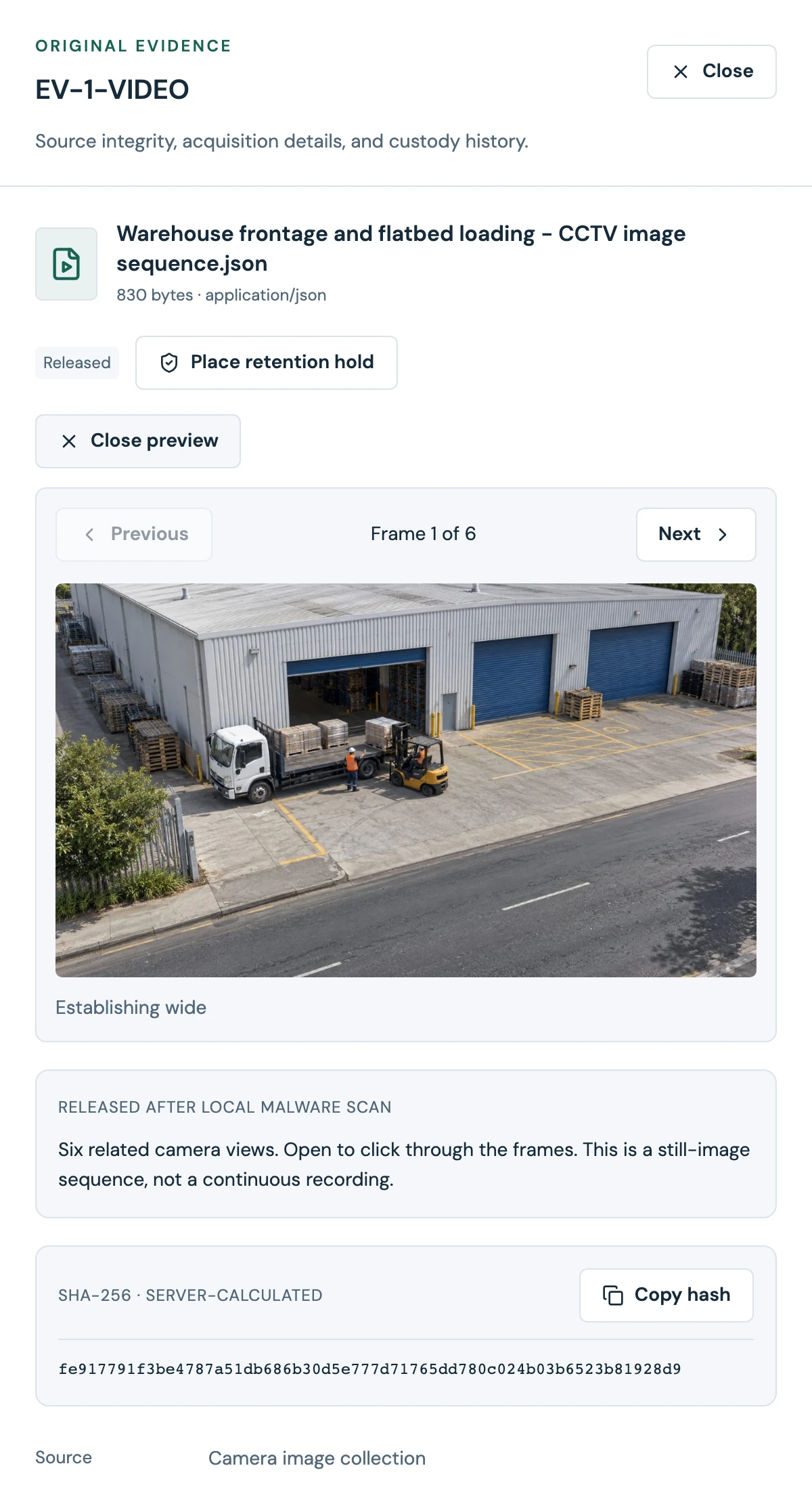
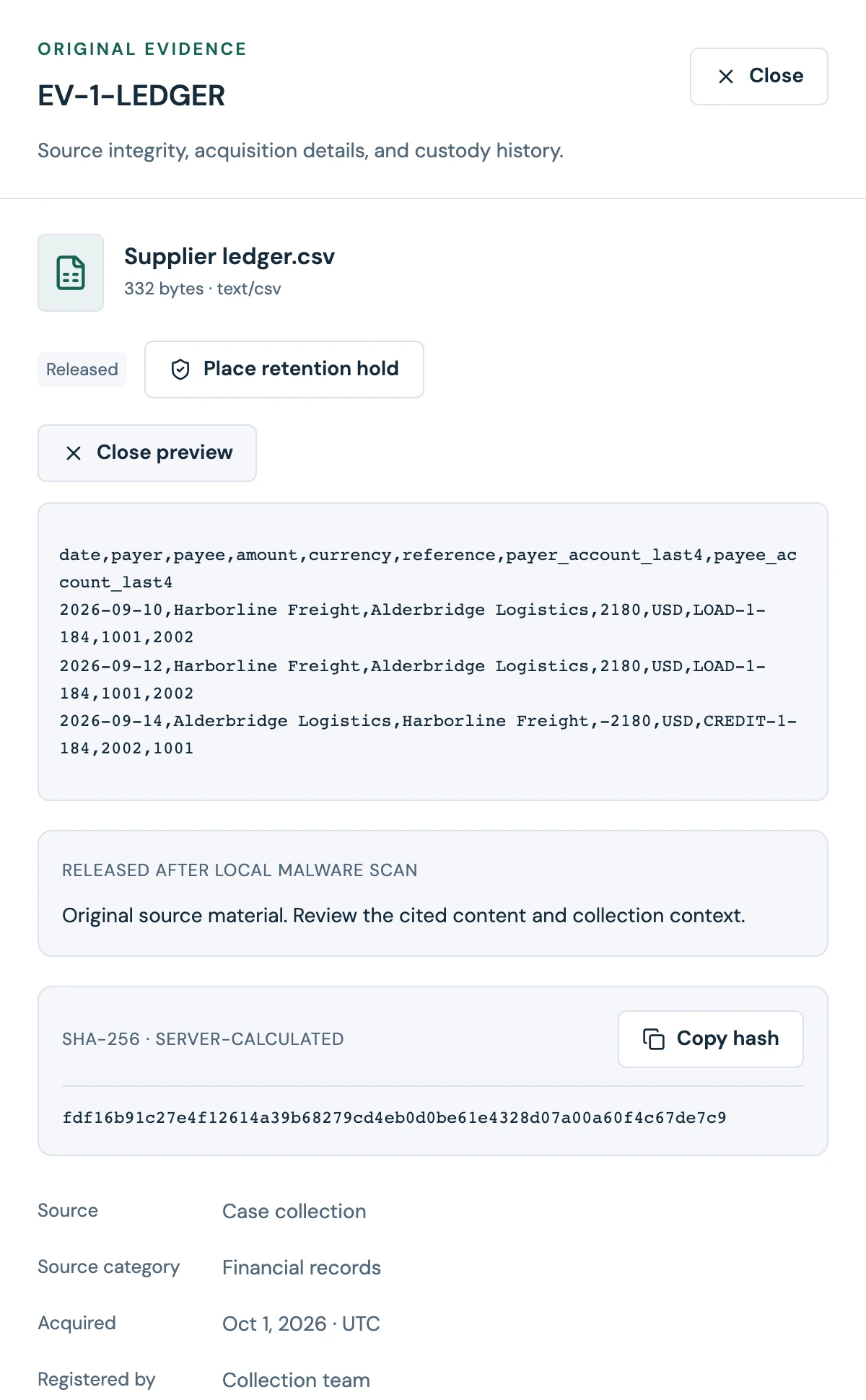
Register documents, images, audio, video, and structured files. Review source information, track changes, and preview supported media after scanning and release.
-
03 /
Connect the records.
Work with people, organizations, accounts, devices, vehicles, locations, and digital identifiers. Record relationships and attach the evidence supporting them.
-
04 /
Explore the bigger picture.
Use interactive graphs, timelines, and maps to examine connections and activity. Explore across accessible cases while respecting each user’s case permissions.
-
05 /
Search the source material.
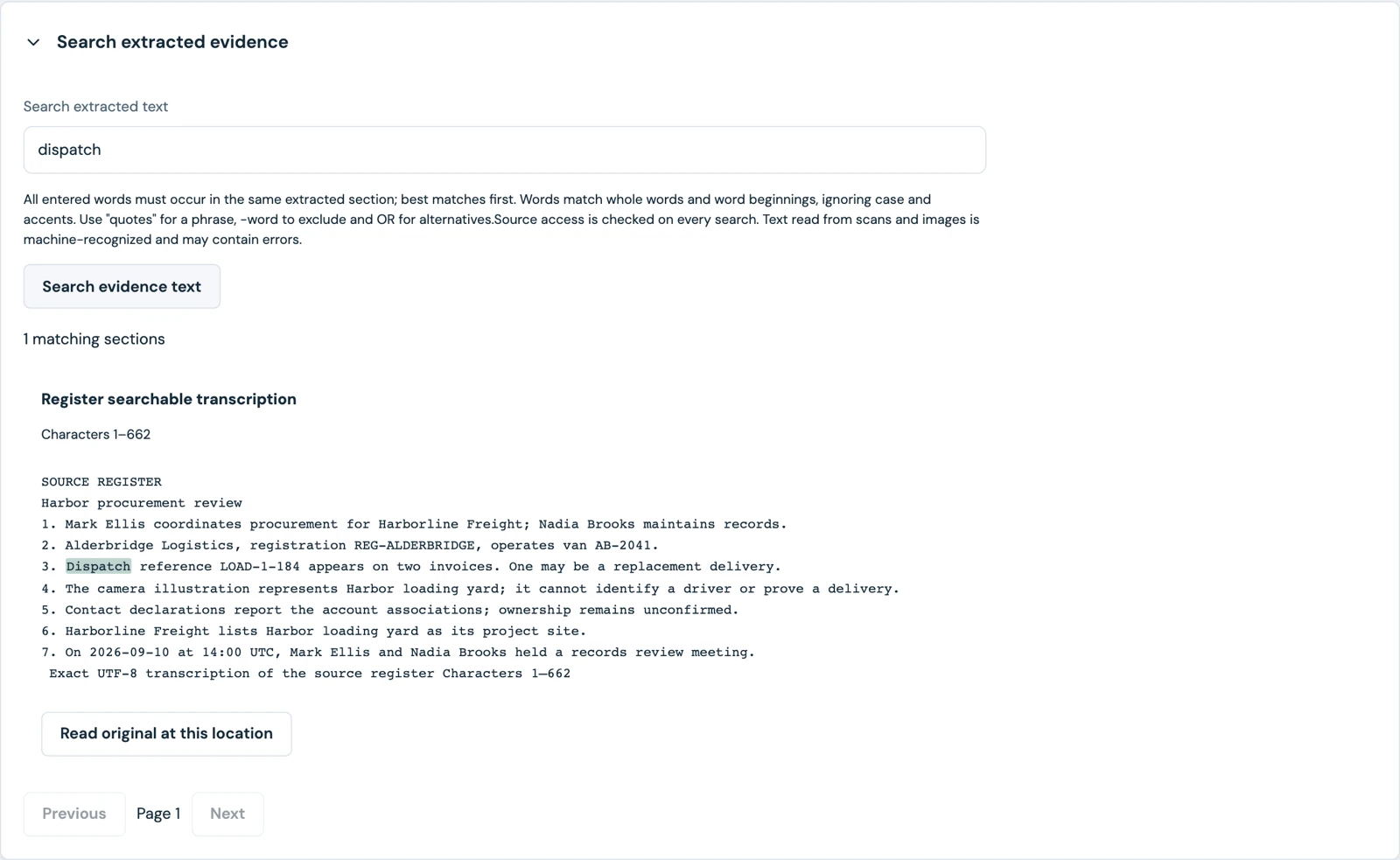
Extract text from supported evidence, including scans and images using OCR. Search the extracted content and return to the relevant source passage for review.
-
06 /
Review and share findings.
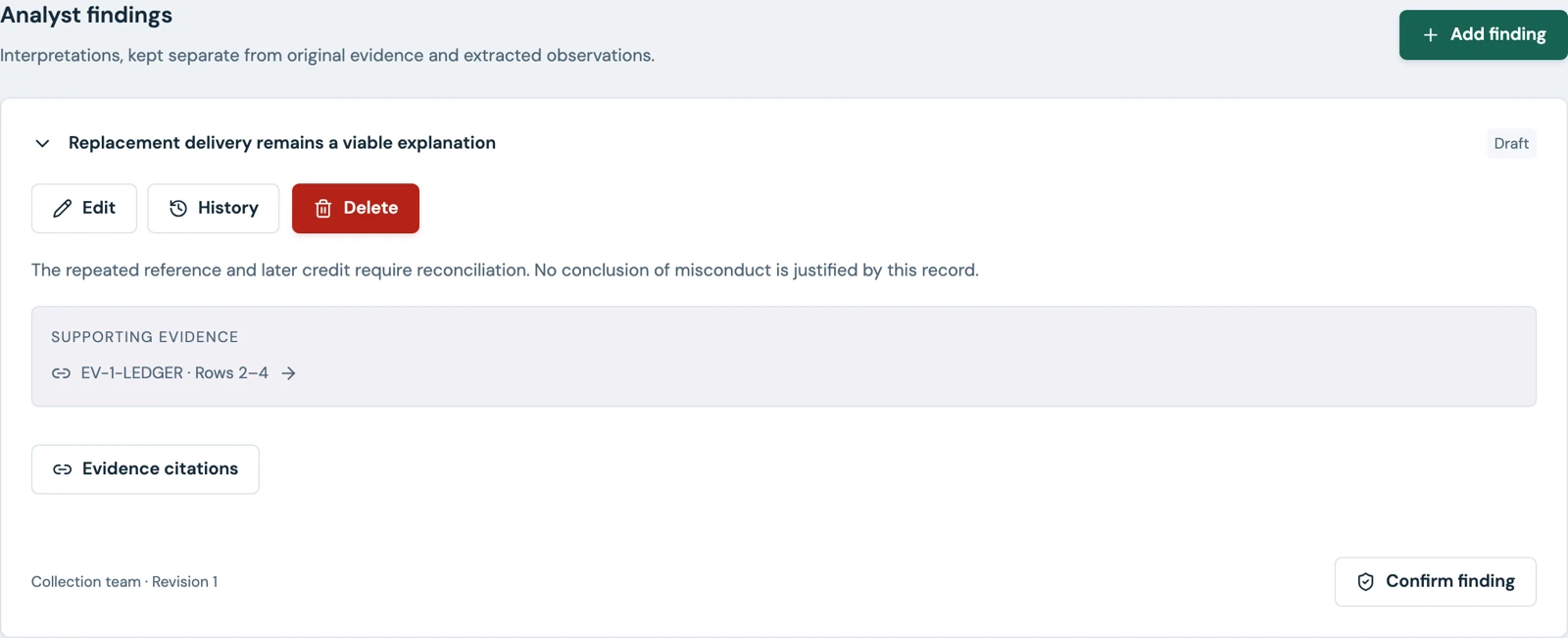
Keep reported information, disputed assertions, and confirmed findings distinct. Prepare disclosure packages with an approval workflow before release.
/ access and control
The right information. For the right people.
Case membership and role permissions determine which records a person can access and which actions they can perform. Restricted records provide an additional layer of control within a case.
TRACE supports local accounts, multifactor authentication, passkeys, and OpenID Connect single sign-on. Administrators can manage access, review security activity, configure session settings, and back up or restore the workspace.
/ deployment
Run it in your environment.
TRACE supports customer-hosted Docker deployment, with the application, API, and supporting services packaged for installation in your infrastructure.
SharePlicity can help you plan the deployment, configure authentication, establish backup procedures, and assess how TRACE fits your investigation workflow.
/ who it is for
For teams that need to explain their findings.
Explore TRACE for internal investigations, fraud reviews, compliance inquiries, asset reconciliation, and other work that depends on connecting records to supporting evidence.
The aim is straightforward: make information easier to examine and conclusions easier to trace back to their sources.
/ next step
Interested in TRACE?
Register your interest using the panel on this page. Tell us about your investigation workflow and what you would like to know about TRACE, and SharePlicity will get in touch.